If you run a service business and you're choosing between HighLevel and HubSpot, you're comparing two genuinely good CRMs that are built for different buyers. Neither is "the best." The right answer depends on how you sell, how much you message leads, and what you want to run in one place.
We implement both, so this isn't a pitch for one over the other. It's the honest version of the trade-offs, plus the more important point most comparisons miss: the CRM you pick matters far less than the system you build around it.
What HighLevel Is Good At
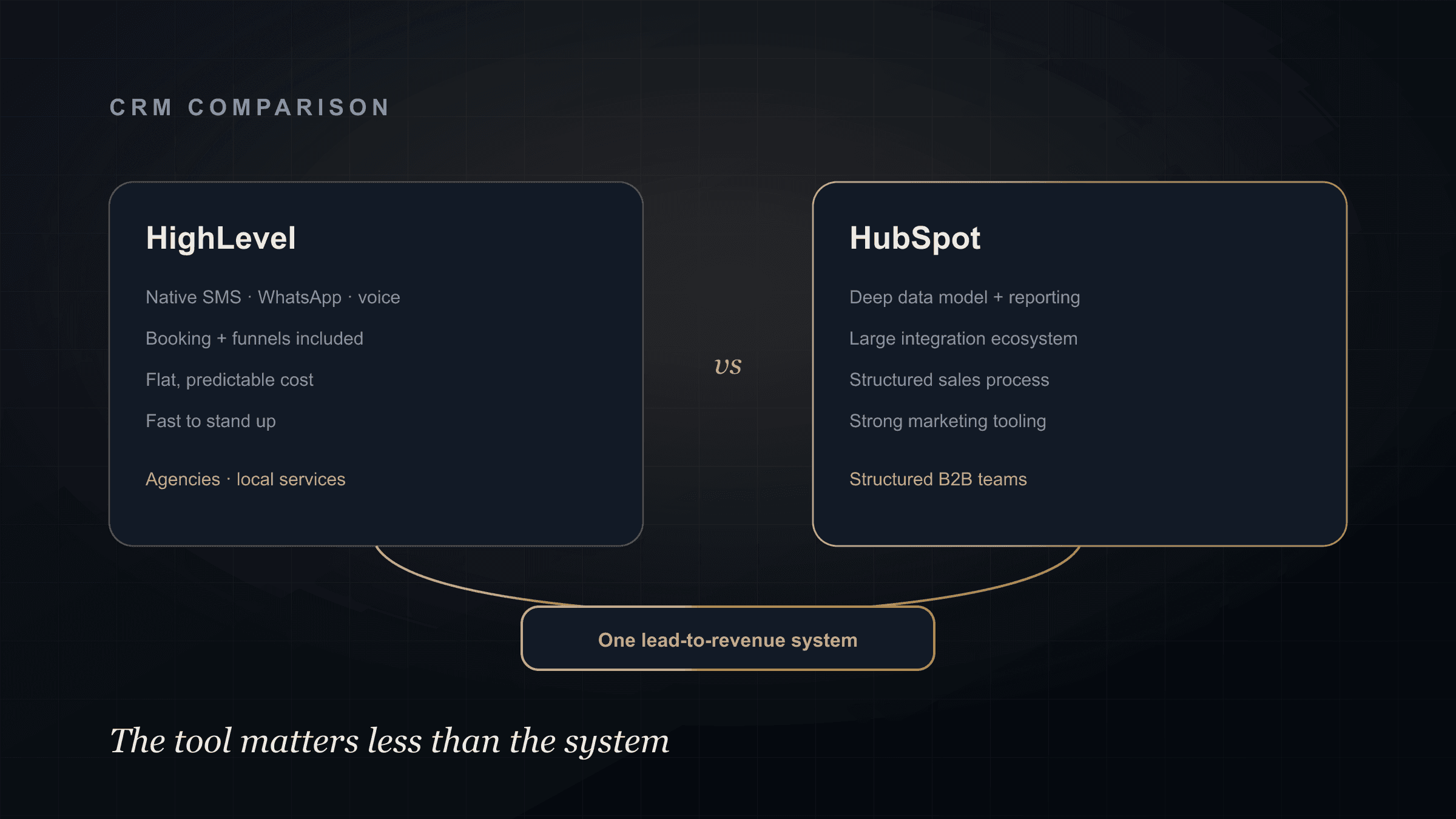
HighLevel (GoHighLevel) was built for agencies and local service businesses that live on outbound messaging and speed.
Its strengths for service businesses:
- All-in-one messaging. SMS, WhatsApp, email, and voice are native, so instant follow-up and missed-call text-back are built in, not bolted on.
- Booking and pipelines included. Calendars, funnels, and pipelines come in the box, so a lead can go from ad to booked call inside one tool.
- Predictable, flat cost. Pricing doesn't spike as your contact count grows, which suits high-volume lead flow.
- Fast to stand up. For a service business that needs capture, follow-up, and booking working quickly, it's hard to beat.
Where it's weaker: reporting and data modeling are simpler than HubSpot's, and it's less suited to complex, multi-team B2B sales processes.
What HubSpot Is Good At
HubSpot is built for structured sales and marketing teams that value clean data and deep reporting.
Its strengths:
- Data model and reporting. Properties, associations, and dashboards are more powerful, which matters when you need real pipeline analytics.
- Ecosystem. A large marketplace of integrations and a mature API make it a strong hub for a bigger stack.
- Sales process depth. Sequences, deal stages, and team permissions suit a defined sales motion with multiple reps.
- Marketing tooling. Strong content, email, and attribution features if marketing is a major channel.
Where it's weaker: native SMS/WhatsApp is thinner, cost climbs with contacts and add-ons, and it can be more than a lean local service business needs.
HighLevel vs HubSpot at a Glance
| HighLevel | HubSpot | |
|---|---|---|
| Best fit | Agencies, local services, high-volume messaging | Structured B2B sales & marketing teams |
| Native SMS / WhatsApp / voice | Strong, built in | Limited, often add-ons |
| Booking & funnels | Included | Via integrations |
| Reporting & data model | Simpler | Deep and flexible |
| Cost as you grow | Flat, predictable | Scales with contacts/tiers |
| Setup speed | Fast | Longer for full setup |
Neither column is "the winner." The fit depends on your motion.
How to Choose
Ask three questions.
How much do you message leads? If SMS, WhatsApp, and missed-call text-back are core to how you follow up, HighLevel's native messaging is a real advantage. This is common for local services, clinics, medspas, and home services.
How complex is your sales process? If you have multiple reps, defined stages, and need serious reporting and attribution, HubSpot's data model earns its cost.
How do you want to price and scale? High lead volume with flat cost points toward HighLevel. A structured team that will grow into deeper reporting points toward HubSpot.
If you're a service business running paid ads that needs fast capture, instant follow-up, and booking in one place, HighLevel is usually the pragmatic pick. If you're a larger B2B operation with a defined sales team and reporting needs, HubSpot often fits better.
The Point Most Comparisons Miss
Here's what actually determines whether your CRM works: not which one you pick, but the system you build around it.
Either tool becomes an expensive address book if capture, enrichment, follow-up, and reporting still happen in disconnected places. That's the fragmented GTM problem, and it happens on HighLevel and HubSpot equally.
What makes a CRM pay off is turning it into a connected lead-to-revenue system: instant capture, sub-5-minute response, scoring, routing, follow-up, booking, and reporting, all sharing context. We cover the safe automation architecture behind that in connecting Make, HubSpot, and Claude.
How Technovier Helps
Technovier implements both HighLevel and HubSpot, and builds the CRM AI automation system around whichever fits you. We use our own CRM platform where it's the right call, and we don't force a migration when your current tool is fine.
The honest first step isn't picking a CRM. It's mapping where your leads actually leak, then choosing the tool that fits the fix. Discuss your CRM system and we'll help you decide based on your motion, not a vendor's sales page.
FAQ
Is HighLevel or HubSpot better for a service business?
It depends on your motion. HighLevel suits agencies and local service businesses that rely on native SMS, WhatsApp, and fast follow-up, with flat pricing at high volume. HubSpot suits structured B2B teams that need deep reporting, a rich data model, and a large integration ecosystem.
Is HighLevel cheaper than HubSpot?
HighLevel generally has flatter, more predictable pricing that doesn't spike as contacts grow, which suits high lead volume. HubSpot's cost tends to scale with contact tiers and add-ons. Total cost depends on your volume and which features you actually use.
Can you connect either CRM to AI follow-up and automation?
Yes. Both can power a lead-to-revenue system with instant capture, AI-assisted follow-up, scoring, routing, and reporting. The automation architecture matters more than the CRM brand, and sensitive actions should stay previewed, approved, and logged.
Do I have to migrate CRMs to fix my lead flow?
Usually not. Most lead-flow problems come from a missing system around the CRM, not the CRM itself. A lead-to-revenue system is typically built on the tool you already use, so migration is only worth it when the current CRM genuinely can't support your motion.