At a glance
What we built
A team member needs to move from a post or conversation into practical resources and follow-up without losing the context of the interaction.
| Product | TeamMobilizer |
|---|---|
| Interfaces shown | Product photography |
| Technology | Flutter · Firebase · Android & iOS |
| Core work | Interactive content, likes and discussions · Resource library and scheduled training · Team, event and reminder workflows |
Product flow
How it works
Interactive content, likes and discussions
Resource library and scheduled training
Team, event and reminder workflows
The interface
Inside the product
Product view · 01
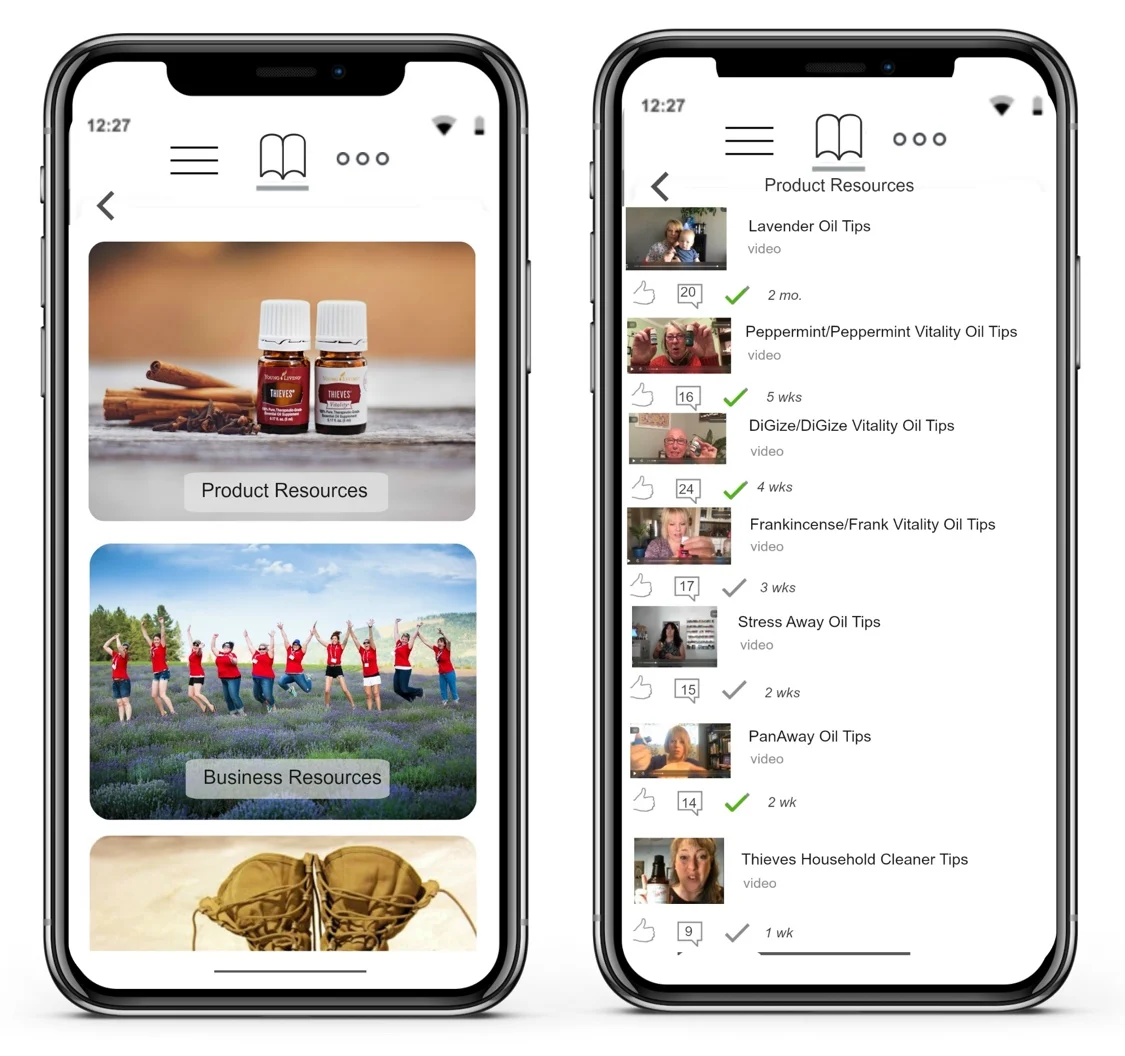
Open team resources
Product and business material has a dedicated place, so useful information stays within reach after a conversation.
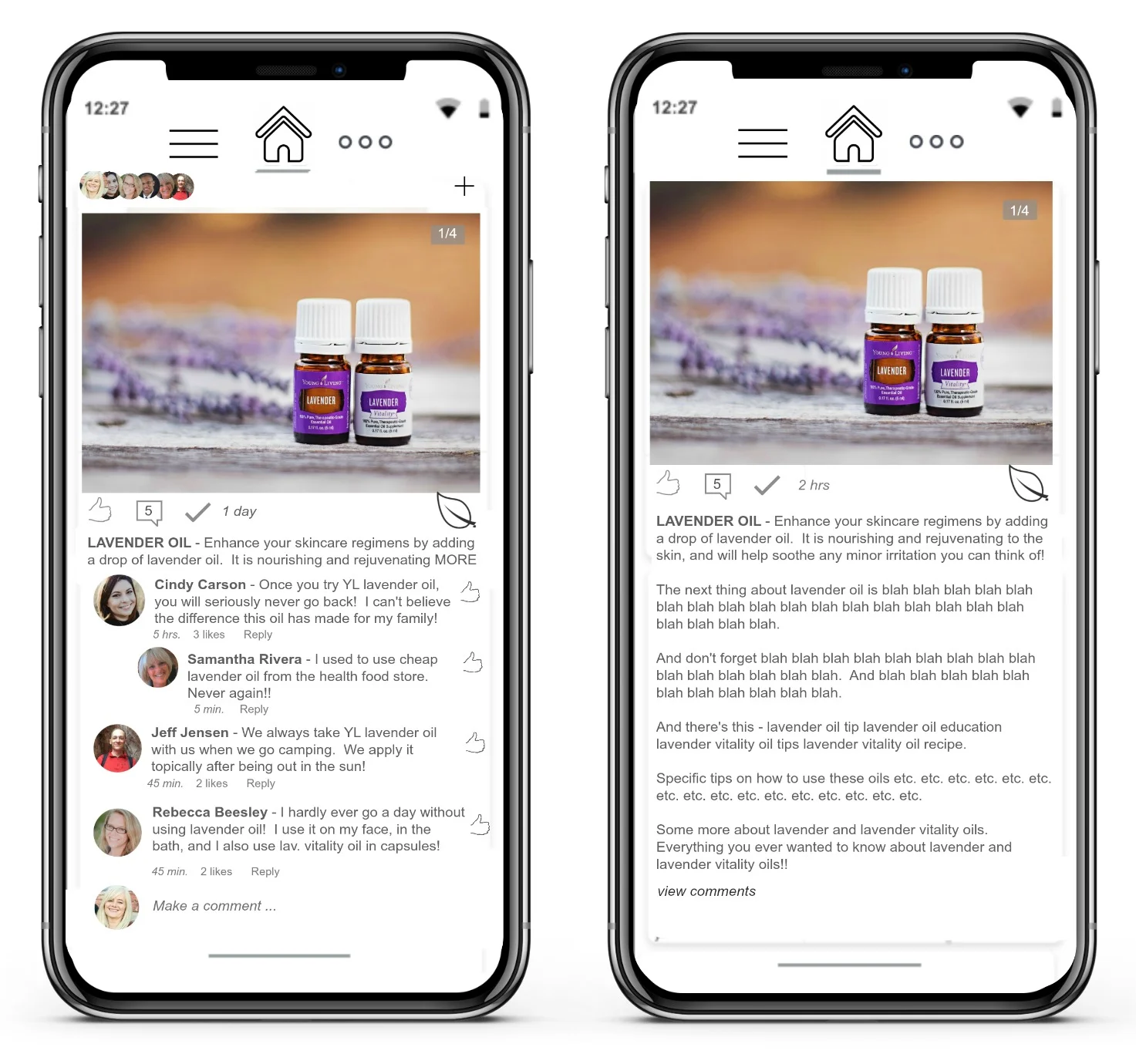
Product view · 02
Follow the team conversation
The feed brings shared posts and comments into the mobile experience before a member opens resources or events.
Product view · 03
Open training material
The library organizes learning posts so team members can return to product education from the same app.
Product view · 04
Browse product resources
A separate resource view gathers product and business material for members to explore.
Design notes
Decisions behind the experience
The team problem
Keep conversation and useful knowledge in one place
- Team posts and discussion
- Training library
- Product and business resources
Read the context
A team feed can create energy, but useful information disappears quickly if every announcement, training item and product resource lives in the same stream. This mobile product gives the team a social place to engage while also providing stable destinations for material people need to revisit.
Posts and discussion sit beside resource and training views. The journey therefore serves both the moment of engagement and the later need to find an answer, prepare for an event or return to a learning item.
Member journey
From a shared post to the next useful action
- Feed to resources
- Profiles and team views
- Events, reminders and notifications
Read the context
Members can enter through the feed, respond to a post and follow the context into material that deserves more time. Training, resources and event information have their own navigation so the person can return without searching through old conversations.
The product also includes personal and team context. Member profiles and team views make it possible to recognise who is involved, while reminders and notifications bring scheduled activity back into view after a person leaves the feed.
Leader operations
Publish once, support a whole team
- Member and leader entry
- Reusable learning material
- Team and event coordination
Read the context
Team leaders need to put learning material and activities where members can actually reach them. The app brings shared posts, structured resources and scheduled events into the same mobile environment. That reduces the gap between telling people about an opportunity and giving them the information to act on it.
The project work also includes member registration and joining a team. Those entry steps matter operationally: content is more useful when it reaches the right group, and team context gives a leader a way to coordinate participation rather than broadcasting into an anonymous feed.
Design and build
A social surface with durable reference areas
- Flutter mobile application
- Firebase-backed product services
- Distinct feed, training and resource screens
Read the context
The feed is designed for quick reading and response. Training and resources use more organised layouts because those screens are closer to a library than a conversation. Each screen gives its task the right visual structure.
The app uses Flutter with Firebase services for the mobile experience. Its interface decisions are shaped by how teams return to content: what belongs in the feed, what deserves a permanent location and what should reappear as a reminder.
Design and development
What powers it
Platform and technology
Flutter · Firebase · Android & iOS
Core capabilities
- Interactive content, likes and discussions
- Resource library and scheduled training
- Team, event and reminder workflows
Questions about the product
Questions about this product
What does this product help people do?
Product knowledge and business resources live alongside the team conversation, events and reminders.
Which screens can I explore?
Open team resources, Follow the team conversation, Open training material, Browse product resources.
What capabilities are covered?
Interactive content, likes and discussions, Resource library and scheduled training, Team, event and reminder workflows.
Mobile projects