At a glance
What we built
A mobile-shopping experience connecting catalogue discovery, product details and ordering workflows through commerce APIs.
| Product | Paksa |
|---|---|
| Interfaces shown | Mobile |
| Technology | React Native · Android & iOS · API integration |
| Core work | Mobile catalogue and product journeys · Cart and ordering workflow · Commerce API integration |
Product flow
How it works
Mobile catalogue and product journeys
Cart and ordering workflow
Commerce API integration
The interface
Inside the product
Mobile interface · 01
Cart and ordering
Mobile interface · 02
Enter the catalogue
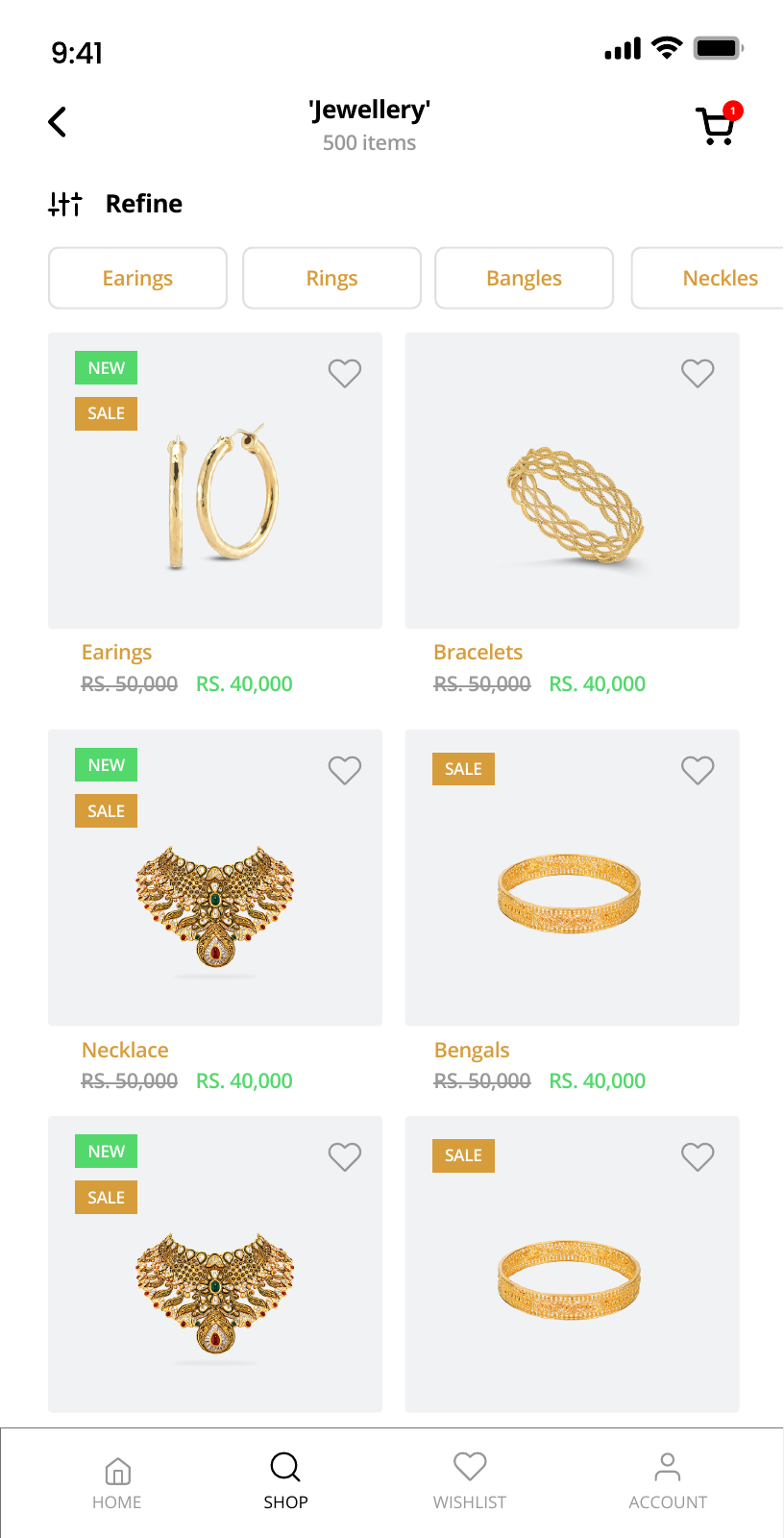
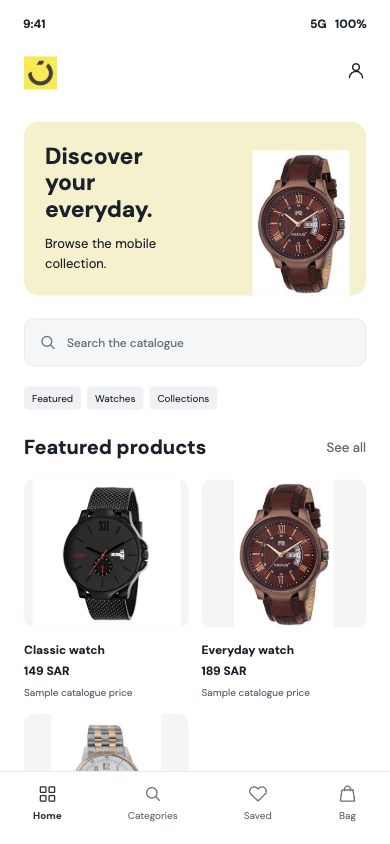
A category-led opening screen gives customers a starting point before they review individual products and cart contents.
Design notes
Decisions behind the experience
The catalogue
Start an order with a product people can recognise
- Visual catalogue entry
- Product detail
- Connected commerce service
Read the context
The mobile catalogue presents products through categories and visual cards, giving customers a direct route from broad browsing to a particular item. This matters when the range is wide: the customer needs to know what is available before they have enough detail to decide what to buy.
The React Native application connects to the commerce APIs of an existing web platform. The mobile experience concentrates on discovery and order building while the service behind it carries the product records.
Customer journey
Carry the choice into a clear cart
- Category and product browsing
- Add to cart
- Order review
Read the context
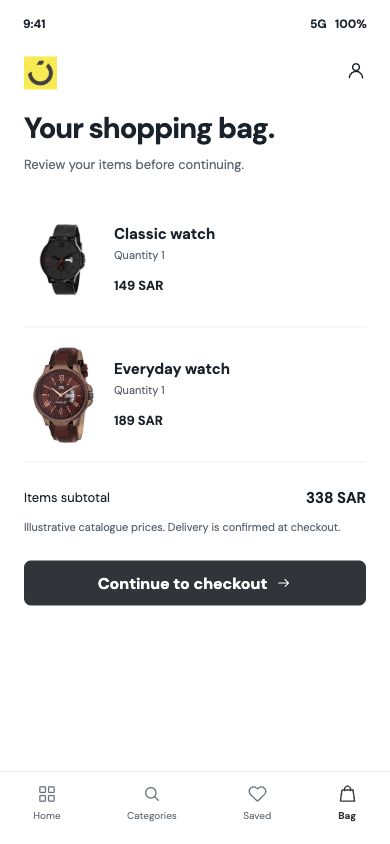
From the home catalogue, a shopper opens a category or product, reviews the item and adds it to the cart. The cart keeps chosen products together so quantity and order decisions can be checked as a group, rather than leaving the customer to remember a series of individual taps.
Home and cart are separate states. The design changes emphasis at that point: browsing is about finding an item, while cart review is about the order being assembled. Keeping those tasks distinct makes the next action easier to understand.
Commerce operations
Connect mobile orders to the web platform
- Product information through APIs
- Order flow connected to the service
- Consistent item data across screens
Read the context
The app's API integration ties the mobile catalogue to the existing commerce system. That gives the team a common source for products and orders instead of two independent inventories. The operational benefit is consistency between what is offered in the app and what the business can fulfil.
The project work included interface design, API integration and testing of the mobile purchase path. The design therefore follows the data handoff: what a shopper sees on a product card must still make sense on the detail screen and in the cart.
Design and build
Make the phone the primary shopping surface
- React Native mobile app
- Web commerce API integration
- Distinct browse and cart layouts
Read the context
The catalogue uses a lighter first view with category shortcuts, then gives each product more space as the shopper moves closer to an order. The cart is deliberately denser because it is where items are compared as a basket.
The implementation uses React Native on Android and iOS, with APIs connecting the app to the web commerce platform. The mobile interface and service integration were built as parts of the same journey.
Design and development
What powers it
Platform and technology
React Native · Android & iOS · API integration
Core capabilities
- Mobile catalogue and product journeys
- Cart and ordering workflow
- Commerce API integration
Questions about the product
Questions about this product
What does this product help people do?
Turn a broad catalogue into a clear mobile path from browsing to ordering.
Which screens can I explore?
Cart and ordering, Enter the catalogue.
What capabilities are covered?
Mobile catalogue and product journeys, Cart and ordering workflow, Commerce API integration.
Mobile projects