At a glance
What we built
MUS Exams connects admissions, book and examination choices, payments and administrative review in one education journey.
| Product | MUS Exams |
|---|---|
| Interfaces shown | Desktop / web |
| Technology | Web application · Forms · Administration |
| Core work | Admission and examination selection · Form validation and payment journey · Administrative review and corrections |
Product flow
How it works
Admission and examination selection
Form validation and payment journey
Administrative review and corrections
The interface
Inside the product
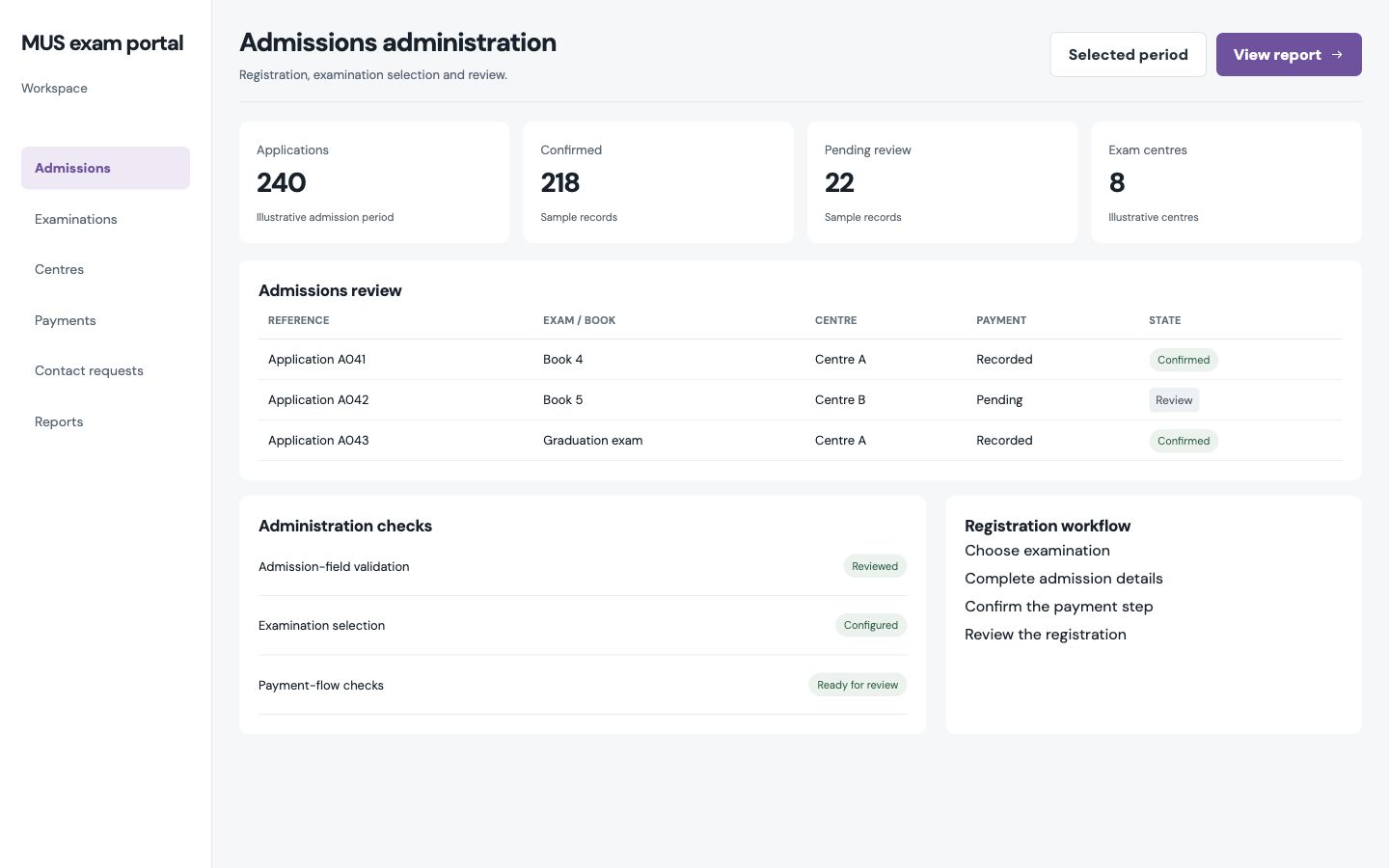
Desktop interface · 01
Admission and examination selection
Design notes
Decisions behind the experience
The applicant problem
Guide a long application without losing the person
- Exam and admission choice
- Staged registration
- Payment and confirmation
Read the context
Admission and examination registration asks for a series of decisions and personal details. The product breaks those into a path that begins with the programme or exam choice, continues through the required fields and ends in a payment and confirmation step.
Titles, dates, contact details and centre choice all affect the final record, so the form has to make errors understandable before they reach the administrative team.
Applicant journey
Make required information clear at the point of entry
- Clear choices and labels
- Field-level validation
- Reviewable confirmation
Read the context
The registration form connects identity, contact and exam details. Validation belongs next to the relevant field, so a person can fix a phone number or missing detail without restarting the process. A confirmation then gives the applicant a record to check against what they submitted.
Language and order are important in this flow. Field labels, selection order and confirmation wording all influence whether the applicant understands which exam they have chosen and what happens next.
Staff operations
Give corrections a controlled place to happen
- Application review
- Administrative corrections
- Exam and certificate context
Read the context
Administrative staff need to review applications and correct details when an applicant reports a mistake. Editable student information and consistent confirmation data give the staff view a different job from the public form.
The back-office journey separates a submitted application from a verified one. Staff can inspect the record, make a correction and keep the candidate's exam context attached to the change. That gives the service a more dependable record for later examination and certificate work.
Design and delivery
One record across public form and administration
- Applicant-first form design
- Payment step
- Administrative review workspace
Read the context
The public screens use a paced form; the staff screens use a denser review layout. Each side asks a different question: the applicant needs to complete a task confidently, while staff need to find and resolve exceptions across many submissions.
The product work covers the registration interface, payment stage and administration. The case study follows that shared record from the applicant's first choice through the team's review rather than treating the form as the whole product.
Design and development
What powers it
Platform and technology
Web application · Forms · Administration
Core capabilities
- Admission and examination selection
- Form validation and payment journey
- Administrative review and corrections
Questions about the product
Questions about this product
What does this product help people do?
Guide applicants through admission choices, required details and payment.
Which screens can I explore?
Admission and examination selection.
What capabilities are covered?
Admission and examination selection, Form validation and payment journey, Administrative review and corrections.
Enterprise projects