At a glance
What we built
Jewellery operations spanning stock, invoices, resellers, returns and daily-ledger reconciliation. The newer management experience reads the legacy records through a compatibility layer.
| Product | Khawaja Jewellers ERP |
|---|---|
| Interfaces shown | Mobile · Desktop / web |
| Technology | Next.js · NestJS · PHP · MariaDB · local image-reading tools |
| Core work | Diary photo capture and image-set review · Article readings checked against source photos · Inventory, invoices and reseller records linked by article |
Product flow
How it works
Inventory and article-level visibility
Reseller balances and invoice activity
Daily ledger and year-book reconciliation
The interface
Inside the product
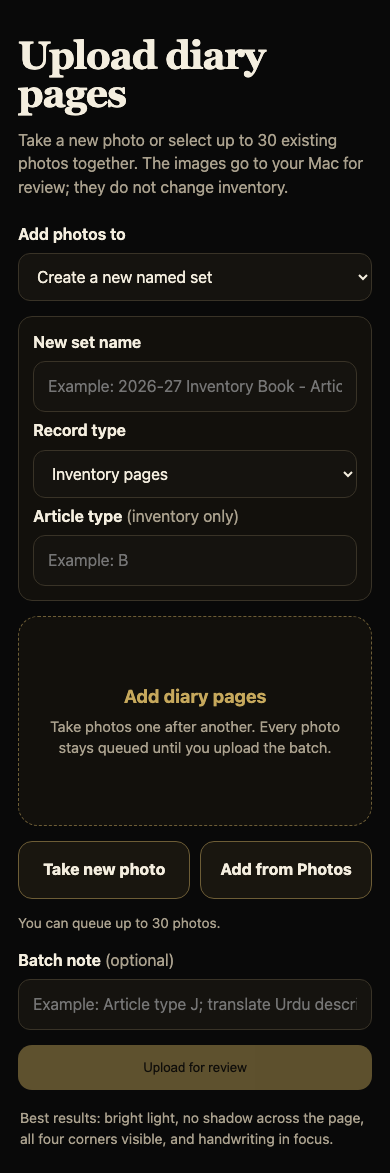
Mobile interface · 01
Capture diary pages from a phone
Photograph a page or choose several from the library, place them in an image set and upload them together for review.
Desktop interface · 02
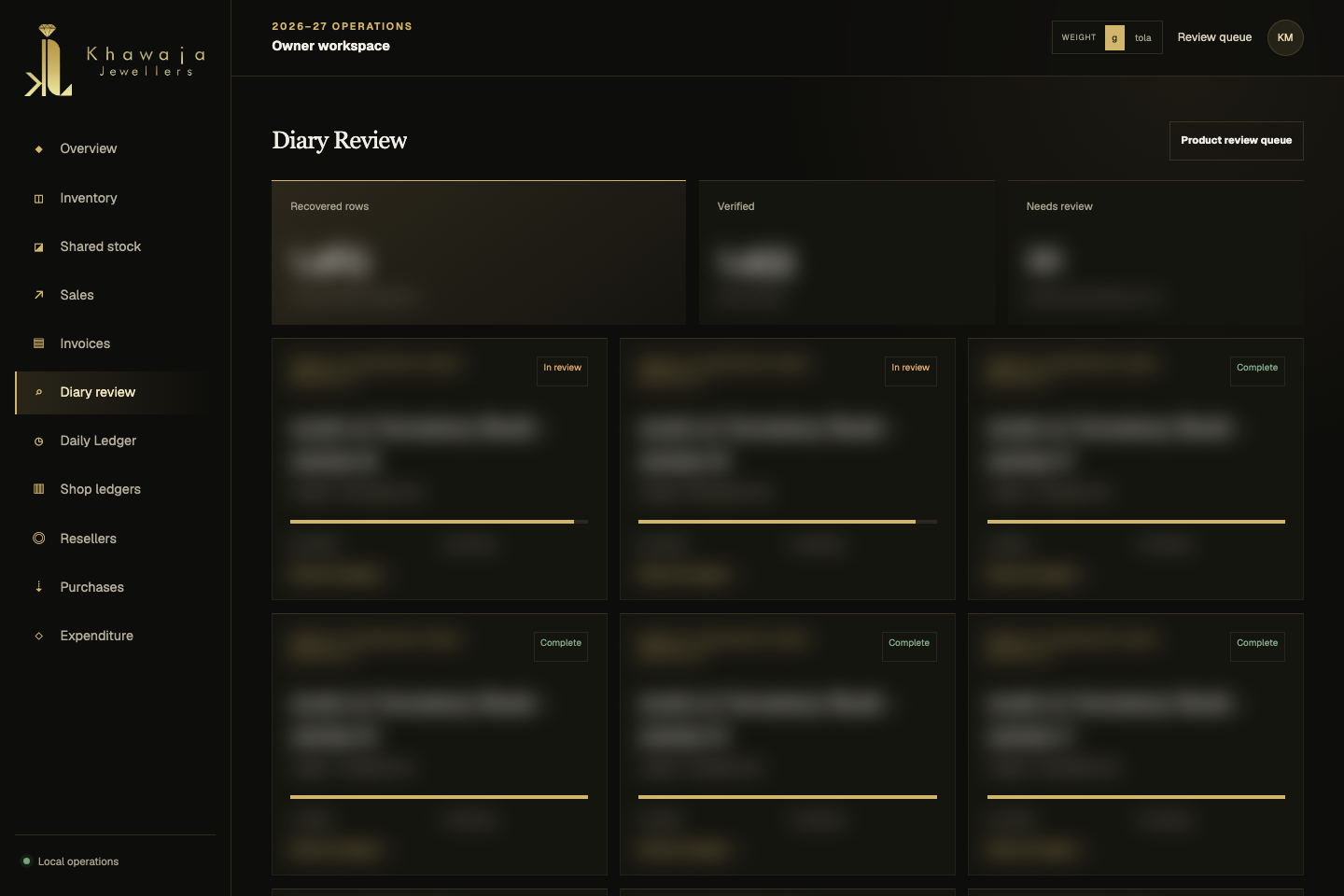
Track the image sets
The diary workspace groups photographed pages and shows which entries have been checked and which still need review.
Desktop interface · 03
Check each reading against the photo
The source image stays next to editable article rows, so a reviewer can inspect the handwriting and confirm each field.
Desktop interface · 04
Find the article in inventory
Filters by year book, article, status, review state and weight make the working stock register searchable after the photo has been processed.
Design notes
Decisions behind the experience
The starting point
A jewellery business runs on the history of every article
- Article-level inventory and year books
- Sales, invoices and returns connected to stock
- Reseller relationships and balances
Read the context
A piece of jewellery is more than a product row. Its article number, weight, year book, customer, sale, return and settlement all need to remain connected as it moves through the business.
The project brings those records into an owner workspace where the team can search stock, follow an article's movement and see which historical entries still need attention. Handwritten inventory books remain part of that story, so the software needed a way to bring photographed pages into the same working record.
From paper to product data
Photograph a page, then keep the source beside the reading
- Phone capture and multi-photo upload
- Image sets organised by inventory book and article type
- Duplicate photo detection
Read the context
The image journey begins with a phone. A team member can photograph a diary page or select existing photos, group them into a named image set and send a batch for review. The capture flow accepts multiple pages at once and checks for duplicate files before adding them to the queue.
The original photo remains available in the workspace. This gives the reviewer a visual source for each article rather than turning handwriting into an unexplained spreadsheet entry.
Image processing
Turn handwriting into a reviewable draft
- Field-level readings with confidence
- Photo magnification and source highlighting
- Editable rows before approval
Read the context
Local image-reading tools produce a first pass for article number, weight, description, customer, sold date and status. The draft carries a confidence value and keeps the raw reading available for comparison with the photograph.
The interface does not ask the owner to trust a black box. The photo and editable fields sit together; source regions can highlight where a reading came from, and the image can be magnified when a character or ruled row needs a closer look. Unclear values stay open for a person to resolve.
Human review
Verify the article before it becomes the working record
- Row-by-row approval
- Recorded corrections and customer aliases
- Verified examples used for later readings
Read the context
A reviewer works down the page, checking the article, weight, description, customer, date and outcome against the original photo. The screen keeps the photo visible while the rows are edited, with a separate verification state for each entry and page-level checks for the key fields.
Corrections and customer aliases are retained. Reviewed examples help the next decoding pass recognise the same handwriting and business names, while human changes remain authoritative. This makes the process more useful with each completed page without silently replacing a decision the team has already made.
Inventory operations
Follow an article beyond the imported page
- Searchable article and year-book views
- Review and data-quality filters
- Linked invoices, returns and custody history
Read the context
Once a diary entry is connected to inventory, the team can open that article's record and inspect its current status alongside the photographed source. The inventory view supports year-book, article type, outcome, review state, date and weight filters, so a large register remains navigable.
The article record also carries its later movement: invoices, returns and maker or vendor custody are linked instead of being flattened into a single status. Historical books remain searchable, while current available stock is kept distinct from closed-book records.
Customers and settlement
Keep the reseller relationship attached to the sale
- Canonical shop records and aliases
- Invoice and receipt history
- Review queues for missing or conflicting fields
Read the context
The customer or shop is chosen as part of the article review, then carried through the sales and invoice views. A reseller workspace brings together posted invoices, cash and gold receipts, and the running position for each shop.
The system also makes incomplete or conflicting records visible for review. A photo reading can be examined without immediately changing a financial balance; the team can resolve the source first and work from the posted records when managing settlement.
The owner workspace
Make everyday decisions from the same connected record
- Stock and sales overview
- Direct paths into underlying records
- Visible review and completeness states
Read the context
The overview brings stock, sales activity, article performance, customer movement and outstanding review work into one place. From there, the owner can move directly into the inventory, diary, invoice or reseller view behind a number instead of relying on a detached summary.
That connection shaped the interface: detailed tables for daily work, filters for finding an individual article, and clear review states where the source still needs a person's judgment. The result is an operational view of the business, not just a digitised archive.
How it was built
A local system designed around source records
- PHP and MariaDB record system
- Next.js owner interface with a NestJS API
- Local image decoding and review workflow
Read the context
The working ERP uses PHP and MariaDB for its established records. A newer Next.js and NestJS owner workspace reads those records through an API and presents the diary, inventory, sales, invoices and reseller workflows in a consistent interface.
The photographed-page flow combines private image storage, duplicate checks, local Python-assisted reading, row-level correction and a review state. That architecture keeps the image, proposed reading and human decision connected, which is essential when the source is a handwritten business book.
Design and development
What powers it
Platform and technology
Next.js · NestJS · PHP · MariaDB · local image-reading tools
Core capabilities
- Diary photo capture and image-set review
- Article readings checked against source photos
- Inventory, invoices and reseller records linked by article
Questions about the product
Questions about this product
What does this product help people do?
Connect stock, invoices and reseller balances so a jewellery business can see the movement behind each item.
Which screens can I explore?
Capture diary pages from a phone, Track the image sets, Check each reading against the photo, Find the article in inventory.
What capabilities are covered?
Diary photo capture and image-set review, Article readings checked against source photos, Inventory, invoices and reseller records linked by article.
Enterprise projects