At a glance
What we built
A sales-management workspace connecting lead allocation, calls, meetings, follow-ups and employee targets with management reporting.
| Product | PAK Group CRM |
|---|---|
| Interfaces shown | Desktop / web |
| Technology | Laravel · MySQL · React Native Android |
| Core work | Lead allocation and employee task queues · Calls, meetings and follow-up activity · Quarterly targets and management reports |
Product flow
How it works
Lead allocation and employee task queues
Calls, meetings and follow-up activity
Quarterly targets and management reports
The interface
Inside the product
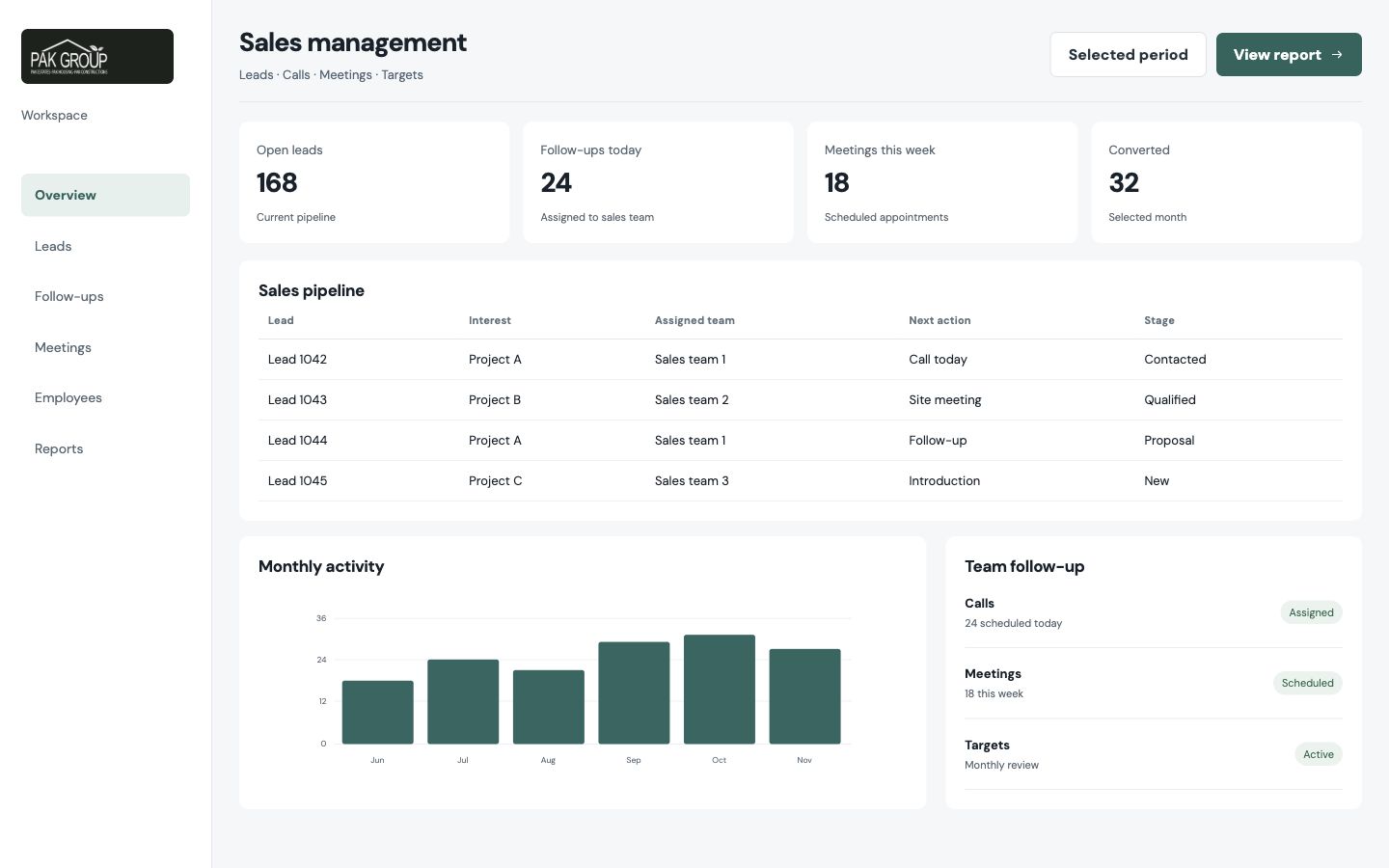
Desktop interface · 01
Lead allocation and employee task queues
Design notes
Decisions behind the experience
The sales problem
Keep a new lead connected to the next action
- Lead allocation
- Employee task queues
- Customer activity history
Read the context
A lead can be lost between assignment, the first call and the next meeting when those steps live in different lists. This CRM gives the team a shared customer record and makes the employee's next action part of that record. The journey begins when a lead is allocated and continues through calls, meetings and follow-up work.
The project includes both an employee-facing mobile path and a wider web management workspace. Salespeople need the contact and call task in hand; managers need to understand how assignments and activity are moving across the team.
Salesperson journey
Turn assigned work into a sequence of conversations
- Assigned lead view
- Calls and meetings
- Follow-up tasks
Read the context
A salesperson opens assigned leads, makes contact and records what should happen next. Call and meeting activity belongs beside the customer, so a later follow-up starts with context instead of a blank phone number. The mobile side supports this immediate work while the CRM keeps the shared record.
The interface keeps task status and due action visible. A lead is not simply marked 'contacted'; its next call, meeting or follow-up can be carried forward, giving the salesperson a clear queue for the day.
Management operations
See activity beyond one person's pipeline
- Assignment oversight
- Employee activity review
- Targets and management reports
Read the context
Managers need to distribute leads, inspect employee queues and connect daily activity to team targets. The management views group those jobs without forcing an employee's call screen to hold all of the reporting detail.
Quarterly goals and reports provide a longer view of sales work. They make it possible to compare what has been assigned with what has been followed through, and to return from a summary to the underlying customer activity when a result needs explaining.
Interface and implementation
Different views for action and oversight
- Web CRM and mobile salesperson path
- Shared lead record
- Reporting tied to activity
Read the context
The web workspace uses tables and status cues for managers reviewing many leads. The salesperson path is more focused: a contact, a call and the next step. Both views revolve around the same lead record, which is why allocation and follow-up belong in one system.
The web CRM and mobile salesperson application share lead activity through APIs. The implementation uses a Laravel and MySQL web service with a React Native Android app, keeping the staff action and management record connected.
Design and development
What powers it
Platform and technology
Laravel · MySQL · React Native Android
Core capabilities
- Lead allocation and employee task queues
- Calls, meetings and follow-up activity
- Quarterly targets and management reports
Questions about the product
Questions about this product
What does this product help people do?
Give sales teams one place to assign leads, plan calls and carry follow-ups forward.
Which screens can I explore?
Lead allocation and employee task queues.
What capabilities are covered?
Lead allocation and employee task queues, Calls, meetings and follow-up activity, Quarterly targets and management reports.
Enterprise projects