At a glance
What we built
Property search starts broad, but a renter's real constraints are specific: type, price, space, location and amenities. A useful interface has to translate those constraints into a shortlist without making the search feel like a form.
| Product | LookIn |
|---|---|
| Interfaces shown | Mobile |
| Technology | Mobile application · Property search · APIs |
| Core work | Location and property-type discovery · Listing details and virtual-tour entry points · Saved homes and landlord journeys |
Product flow
How it works
Location and property-type discovery
Listing details and virtual-tour entry points
Saved homes and landlord journeys
The interface
Inside the product
Mobile interface · 01
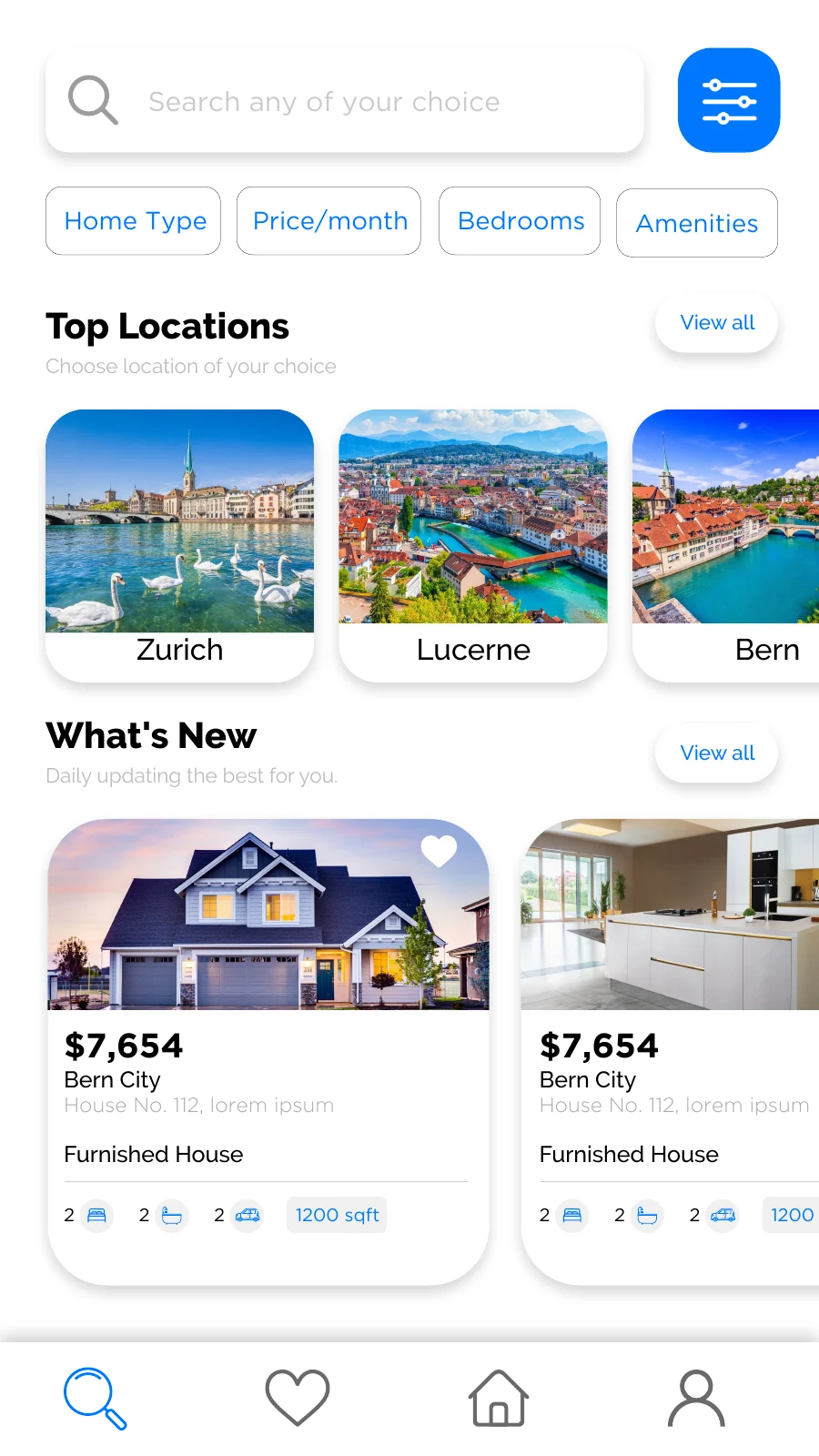
Start with location and available homes
The original discovery design combines location search with visible property cards and a clear route to refine the results.
Mobile interface · 02
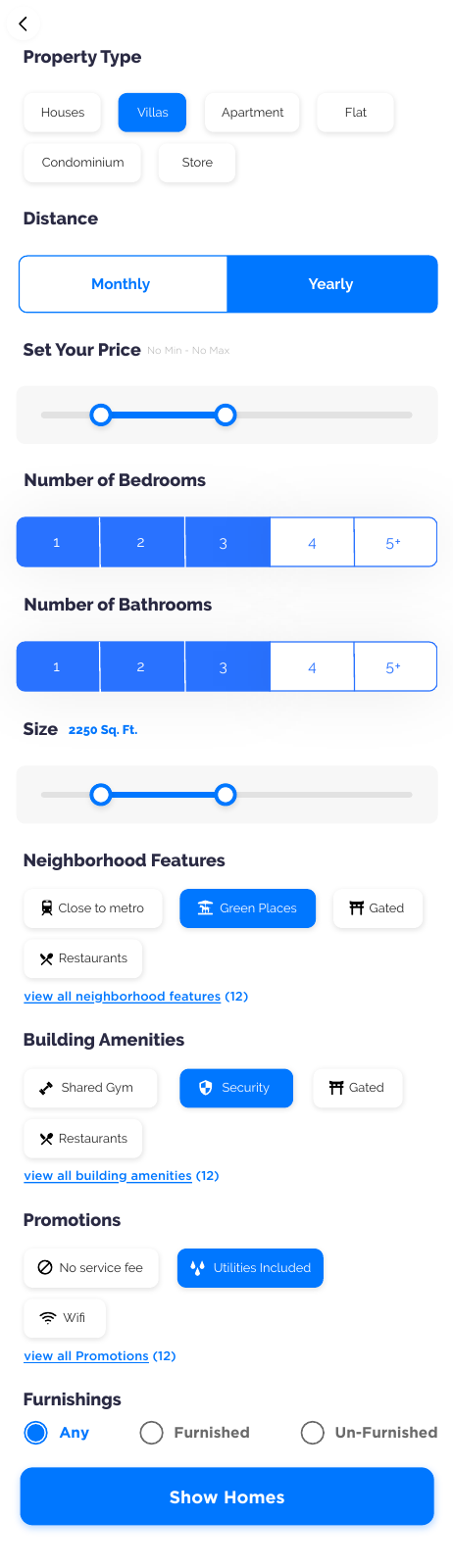
Narrow the search
Home type, price, room count and amenities turn an open search into a shortlist aligned to the renter's constraints.
Mobile interface · 03
Evaluate a property
A listing detail view keeps the home imagery and key facts together before a renter saves or pursues it.
Mobile interface · 04
Explore a property
An original app recording moves from a search result into the property page, where gallery, virtual-tour and street-view controls sit beside the listing details.
Mobile interface · 05
Create a listing
An original landlord recording shows the route from property overview into the guided listing fields.
Design notes
Decisions behind the experience
The search experience
Find a home by the way people actually search
- Location and neighbourhood discovery
- Home type, price, bedroom and amenity filters
- Saved homes for later comparison
Read the context
A rental search rarely starts with a perfect address. People begin with an area, a building they know, a budget or the kind of home they need. The discovery experience brings those entry points together, then lets renters narrow the results by home type, price, bedrooms and amenities.
Neighbourhood collections and property cards give the search a visual rhythm. A renter can explore an area, compare available homes and return to a promising listing without rebuilding the search from the beginning.
The listing
Move from a search result to a confident viewing decision
- Photo gallery, virtual-tour and street-view entry points
- Map location and building context
- Inspection, amenities and terms in the same journey
Read the context
The property page carries more than a photograph and a price. It brings the home gallery, rent, room count, size, furnished status and amenities into one continuous view. The same page gives renters dedicated entry points for a virtual tour, photo gallery and street view, alongside the property location on a map.
Inspection notes, building information, landlord terms and cancellation rules sit further down the page. This keeps the first screen easy to scan while allowing someone who is seriously considering the home to examine the details that affect a visit or lease.
From interest to enquiry
Give the renter a clear next step
- Save and compare homes
- Request a property visit
- Review lease options and ask for a quote
Read the context
Once a home feels relevant, the renter can save it, request a visit or continue toward a rental enquiry. The visit flow asks for a preferred date and time; the rental path exposes lease choices and a quote request. Those are different decisions, so the interface keeps them distinct instead of hiding both behind a generic contact button.
Saved homes and request views help the renter return to the options they have considered. The result is a connected path from discovery to enquiry, with the property details still available when they are ready to act.
For property owners
Make the supply side as considered as the search
- Guided property creation
- Structured home facts and amenities
- Property and visit-request overview
Read the context
A marketplace needs useful listings before it can deliver useful search. The owner flow begins with a property dashboard, then guides landlords through town, building, property type and category before asking for the home details. Rooms, condition, area, amenities, description and payment plans become structured listing information rather than an unformatted block of text.
The owner dashboard also places properties and visit requests close together. That gives a landlord a practical way to see what has been published and where a renter has expressed interest.
Interface decisions
Keep rich property information usable on a phone
Read the context
The mobile design has to support two reading speeds. A quick scan needs the image, location, price and key facts. A closer evaluation needs the gallery, map, inspection information and terms. The page uses a long, readable detail view so those layers stay in one place rather than breaking the property into disconnected screens.
The visual controls for the gallery, virtual tour and street view appear together near the main imagery. Search filters are introduced before the results, and the visit or rental action stays visible when a renter reaches the decision point. Each screen has a clear job in the wider journey.
Product architecture
Connect renter discovery with listing operations
Read the context
The product is shaped around two linked workflows: renters search and enquire, while landlords create and maintain the inventory those renters see. Property type, location, features and rent have to be recorded consistently on the owner side so they can become meaningful filters and facts on the renter side.
The accompanying administrative workspace provides a separate place to review the property inventory and requests. That connection between published content, customer interest and day-to-day management is what turns a collection of property screens into an operational rental platform.
Design and development
What powers it
Platform and technology
Mobile application · Property search · APIs
Core capabilities
- Location and property-type discovery
- Listing details and virtual-tour entry points
- Saved homes and landlord journeys
Questions about the product
Questions about this product
What does this product help people do?
A renter search and listing experience connecting filters, saved properties and property detail with a landlord listing path.
Which screens can I explore?
Start with location and available homes, Narrow the search, Evaluate a property, Explore a property.
What capabilities are covered?
Location and property-type discovery, Listing details and virtual-tour entry points, Saved homes and landlord journeys.
Mobile projects