Most service businesses do not have a lead problem first. They have a response, routing, qualification, and follow-up problem. A prospect fills out a form, calls after hours, messages from Google Business Profile, replies to a Meta ad, or connects on LinkedIn, and the team handles each channel differently. The result is slow speed to lead, messy CRM records, duplicate contacts, missed callbacks, unclear attribution, and revenue that was expensive to generate but never captured.
A practical crm setup for service businesses fixes that operational leak. It gives every inquiry a clean path from first touch to booked call, proposal, close, onboarding, and reactivation. This article explains how to design the workflows, choose the right automation stack, integrate your CRM, handle consent and handoffs, avoid common mistakes, and measure whether the system is actually improving booked calls and revenue capture.
Solution Overview: What CRM Automation Should Do for a Service Business
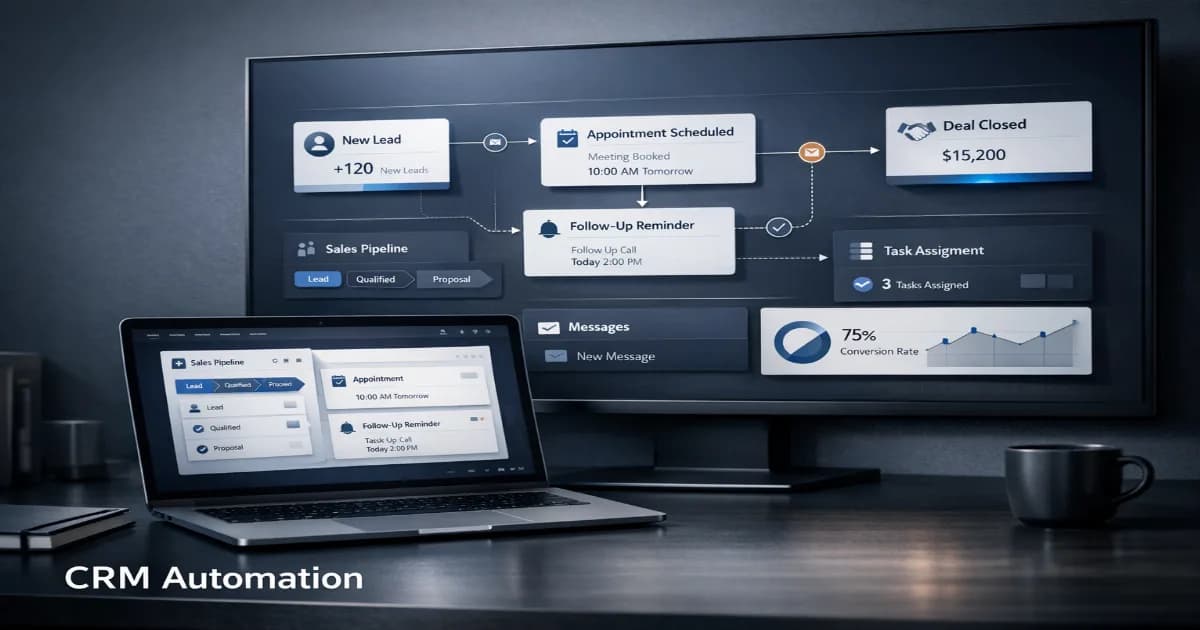
CRM automation is not just “sending emails automatically.” For service businesses, the CRM should become the operating layer between marketing, sales, delivery, and reporting. It should tell the team who the lead is, where the lead came from, what they need, how urgent the opportunity is, what happened next, and what revenue was created.
A strong setup connects the places where demand is created — website forms, calls, Google Business Profile, paid social, LinkedIn, referral forms, chat, AI agents, and outbound campaigns — to a structured CRM process. That process should assign ownership, create tasks, trigger follow-up, log conversations, update pipeline stages, and keep attribution clean enough for operators to make decisions.
Technovier approaches this as a revenue system, not a software installation. If your business is still relying on inboxes, spreadsheets, disconnected form tools, or manual reminders, review the broader automation strategy on Technovier’s automation service page before choosing tools. The workflow comes first; the software supports the workflow.
Where CRM Setups Usually Break in Service Businesses
Service businesses tend to grow through referrals, local search, paid ads, partnerships, and founder-led sales. That growth creates operational complexity. The CRM starts simple, then gradually becomes unreliable because everyone uses it differently.
- Leads enter from too many places. Website forms, phone calls, social DMs, email referrals, quote requests, and ad campaigns are not normalized into one lead intake process.
- Sales stages are vague. “Interested,” “follow-up,” and “proposal sent” mean different things to different team members.
- Speed to lead is inconsistent. High-intent leads wait while the team manually checks inboxes or decides who should respond.
- Follow-up depends on memory. Tasks are missed, callbacks are late, and proposals do not get systematic follow-up.
- Attribution is incomplete. The business cannot confidently answer which channels produce qualified calls, closed revenue, or poor-fit leads.
- Data quality decays. Duplicate contacts, missing phone numbers, inconsistent tags, and unlogged calls make reporting less useful over time.
The cost is not only administrative. When CRM process quality is poor, your team pays for leads it cannot respond to quickly, your best reps waste time on low-fit inquiries, and leadership makes marketing decisions using incomplete data.
Core Use Cases for CRM Automation
The best CRM setup for service businesses focuses on moments where automation protects revenue, reduces manual work, or improves decision quality. Start with the use cases closest to booked calls and cash flow before automating lower-value tasks.
| Use Case | Workflow Trigger | Automation Action | Business Outcome |
|---|---|---|---|
| New website inquiry | Form submission, chat capture, or quote request | Create or update contact, assign owner, send confirmation, create call task, notify team | Faster response and fewer unworked leads |
| Missed-call recovery | Missed inbound call or voicemail | Send SMS or email follow-up, create CRM task, route urgent calls to the right team member | Recovered opportunities that would otherwise disappear |
| Lead qualification | New lead enters CRM | Score based on service need, location, budget, timeline, source, and engagement | Higher lead quality and better rep prioritization |
| Proposal follow-up | Proposal sent or estimate delivered | Trigger follow-up sequence, reminders, call tasks, and deal-stage updates | More disciplined pipeline movement and fewer stalled deals |
| Reactivation | Past customer, lost deal, or inactive lead reaches defined age | Send relevant reactivation campaign and create task for high-value accounts | Revenue from existing demand without increasing ad spend |
| Attribution cleanup | Lead source, campaign, or UTM data captured | Normalize source fields and connect campaign data to contact and deal records | Cleaner reporting on which channels produce booked calls and closed revenue |
Workflow Design: Build Around the Buyer Journey, Not the Tool Menu
Before connecting apps, map the real customer journey. A home services company, agency, consulting firm, clinic, legal intake team, or B2B service provider may use different terminology, but the revenue path is usually similar: inquiry, qualification, booked call, consultation, proposal, decision, close, delivery, review, referral, and reactivation.
The workflow should define what happens at each step, who owns it, which information is required, and what automation should do if the team does not act. This protects the business from “automation theater,” where tools fire messages but no one is accountable for the outcome.
Minimum Workflow Rules to Define
- Lead source rules: How are Google Business Profile inquiries, paid ads, organic forms, referrals, LinkedIn leads, and outbound replies labeled?
- Ownership rules: Who gets the lead based on service line, location, value, availability, or territory?
- Urgency rules: Which leads need immediate phone response versus scheduled email follow-up?
- Qualification rules: What information must be collected before a lead becomes a sales-qualified opportunity?
- Stage rules: What must be true before a deal moves from inquiry to booked, proposal, won, lost, or nurture?
- Fallback rules: What happens if no one calls, a task becomes overdue, or the prospect does not respond?
If you already have a CRM but the team does not trust it, the issue is often workflow design rather than the platform itself. Technovier’s CRM work starts with this operational map before configuration. You can explore the service scope on the Technovier CRM page.
CRM Integration: What Needs to Connect
A service-business CRM should not sit alone. It needs to integrate with the channels where customers discover, contact, and evaluate your business. In 2026, this typically includes local search assets, paid media platforms, social channels, calendar tools, call tracking, email, SMS, web forms, proposal tools, payment tools, and reporting dashboards.
Google Business Profile is especially important for local and regional service businesses because prospects can call, request directions, visit the website, read reviews, and evaluate credibility directly from Search and Maps. Meta’s business tools are often part of lead generation and retargeting workflows. LinkedIn is common for B2B service firms, recruiting-related service providers, agencies, and consultants. AI tools, including systems built with modern language models, can assist with intake, summarization, routing, and response drafting when properly governed.
| Stack Layer | Common Tools or Data Sources | What to Configure | Revenue Impact |
|---|---|---|---|
| Lead capture | Website forms, chat, phone calls, landing pages, Google Business Profile, Meta lead forms, LinkedIn forms | Required fields, hidden attribution fields, spam filtering, consent language, routing logic | More complete lead records and faster intake |
| CRM core | Contacts, companies, deals, pipelines, activities, tasks | Field structure, lifecycle stages, deal stages, owner assignment, duplicate rules | Cleaner pipeline visibility and better sales accountability |
| Communication | Email, SMS, calling, voicemail, calendar booking | Templates, response windows, call logging, meeting reminders, opt-out handling | Improved speed to lead and fewer missed appointments |
| AI assistance | AI agents, conversation summaries, lead qualification prompts, internal copilots | Allowed use cases, escalation rules, prompt templates, human review points | Reduced manual intake work without losing control |
| Reporting | Dashboards, call tracking, ad platforms, CRM reports, revenue reports | Source mapping, conversion events, booked-call tracking, deal revenue fields | Clearer decisions on where to invest next |
Required Tools: What You Actually Need
The right toolset depends on volume, sales complexity, team size, and service model. A small local service firm may need a lean CRM, call tracking, calendar booking, and simple automation. A multi-location or B2B service business may need advanced routing, account-level data, proposal workflows, sales sequences, and more detailed attribution.
At minimum, most service businesses need:
- A CRM with structured pipelines. Contacts, companies, deals, tasks, notes, activities, and lifecycle stages should be configurable.
- Reliable lead capture. Forms, call tracking, landing pages, chat, and social lead forms should feed the CRM without manual copy-paste.
- Calendar booking. Prospects should be able to book the right call type with the right person when appropriate.
- Communication automation. Email and SMS reminders, confirmations, missed-call recovery, and follow-up sequences should be governed by consent and relevance.
- Attribution capture. Source, campaign, landing page, and referral data should be stored on the lead and carried into the deal record.
- Reporting dashboards. Leadership should see lead volume, booked calls, contact rate, show rate, pipeline value, closed revenue, and source quality.
- AI support where useful. AI agents can help with intake, summaries, routing, and internal support. For customer-facing automation, human fallback is essential. Learn more about applied AI workflows on Technovier’s AI agents page.
Buyer Fit: Who Needs a More Advanced CRM Setup?
Not every service business needs a complex CRM build. Complexity should be earned by operational need. The point is to remove friction, not create a system the team avoids.
| Business Situation | Recommended CRM Setup | Why It Fits |
|---|---|---|
| Founder-led business with low lead volume | Simple CRM, one pipeline, basic forms, calendar, and follow-up tasks | Keeps leads organized without overbuilding |
| Growing service team with multiple reps | Automated routing, required fields, call tasks, proposal follow-up, dashboards | Improves accountability and response consistency |
| Paid lead generation across Google, Meta, or LinkedIn | Source tracking, landing-page integration, booked-call reporting, lead quality scoring | Connects ad spend to qualified pipeline and closed revenue |
| Multi-location or multi-service business | Territory routing, service-line pipelines, location fields, role-based reporting | Prevents routing confusion and improves operational visibility |
| High-ticket B2B service firm | Company records, opportunity stages, sales sequences, proposal workflows, account notes | Supports longer sales cycles and cleaner stakeholder management |
Consent, Compliance, and Data Hygiene
Automation must be built with consent and recordkeeping in mind. That is not just a legal concern; it directly affects deliverability, trust, and CRM cleanliness. A system that blasts every contact the same way will create opt-outs, poor response rates, and messy data.
For service businesses, consent and compliance considerations usually include:
- Clear form language. If you plan to send SMS, calls, or marketing follow-up, your forms should explain what the user is agreeing to.
- Opt-out handling. Email and SMS systems should respect unsubscribe and stop requests automatically.
- Source-specific permissions. Leads from ads, referrals, website forms, and imported lists may have different permissible uses.
- Call recording disclosures. If calls are recorded, disclosure requirements vary by jurisdiction and should be reviewed with legal counsel.
- Data minimization. Collect what your team needs to qualify and serve the prospect; avoid unnecessary sensitive data.
- Access control. Not every user should have permission to export, delete, or edit critical revenue data.
Platforms change policies, interface labels, and integration rules over time, so 2026 implementations should include a periodic review of consent language, CRM permissions, data retention, and messaging settings. The goal is not to slow the team down. The goal is to build a system that can scale without creating deliverability, trust, or reporting problems.
Fallback and Human Handoff: Automation Should Not Trap Good Leads
Many CRM builds fail because they automate the first touch but do not define the handoff. A lead fills out a form, receives an auto-reply, and then waits. Or an AI assistant collects information but does not escalate when the prospect is ready to book. For service businesses, automation should accelerate human action, not replace judgment where judgment is required.
Define handoff rules for these scenarios:
- High-intent language: “I need help today,” “Can someone call me,” “What is the soonest appointment,” or “Send pricing” should trigger immediate tasking or routing.
- Missed calls: A missed inbound call should create a CRM activity, notify the right owner, and trigger an appropriate callback message.
- VIP or repeat customers: Existing high-value customers should bypass generic nurture paths and reach a human quickly.
- Unclear fit: If the system cannot classify the lead, it should create a review task rather than discard or over-nurture the inquiry.
- Negative sentiment or complaint: Route to a responsible manager instead of continuing a sales sequence.
AI agents can improve coverage, especially after hours or during volume spikes, but they need guardrails. The best implementation uses AI for structured intake, summaries, suggested next steps, and routing support while preserving human escalation for sales conversations, exceptions, pricing nuance, and sensitive situations.
Implementation Framework: A Practical Timeline
A clean CRM implementation does not have to take months, but it should be sequenced properly. The most common mistake is migrating data and building automations before the pipeline and lifecycle definitions are clear.
| Phase | Typical Work | Key Decisions | Operator Outcome |
|---|---|---|---|
| Week 1: Discovery and audit | Review current CRM, forms, call flows, lead sources, sales process, reporting, and data quality | What counts as a qualified lead, booked call, opportunity, and closed deal? | Clear map of revenue leaks and system requirements |
| Week 2: Workflow and data model | Define pipelines, stages, fields, owner rules, source fields, tags, and required data | Which fields are required, automated, or optional? | Cleaner records and less ambiguity for the team |
| Week 3: Build and integrations | Connect forms, calendars, email, SMS, call tracking, ad sources, and dashboards | Which events trigger tasks, messages, and stage changes? | Faster intake and reduced manual handoffs |
| Week 4: Testing and training | Test lead paths, duplicate handling, notifications, opt-outs, reporting, and user permissions | Who owns each exception and escalation path? | Team adoption before the system becomes business-critical |
| Ongoing: Optimization | Review dashboards, lead quality, response times, no-shows, stage conversion, and closed revenue | Which workflow changes will improve booked calls or revenue capture? | Continuous improvement instead of CRM decay |
Pricing Factors: What Drives the Cost of CRM Setup?
CRM setup pricing varies because the real cost is not only software licensing. It is the complexity of your process, integrations, data cleanup, automation requirements, reporting needs, and training. Vendor pricing also changes, so operators should evaluate total cost of ownership rather than relying on one subscription line item.
The biggest pricing factors are:
- Number of pipelines and service lines: More workflows require more configuration, testing, and reporting logic.
- Data migration quality: Clean contact and deal data is easier to migrate than years of duplicates, missing fields, and inconsistent tags.
- Integration count: Forms, ads, call tracking, calendars, payment tools, proposal software, and messaging tools all add setup and testing requirements.
- Automation complexity: Simple task reminders are easier than conditional routing, lead scoring, AI-assisted intake, or multi-step nurture campaigns.
- Reporting depth: Basic dashboards are simpler than full-funnel attribution from source to booked call to closed revenue.
- User training and adoption: A system used by one founder is different from a system used by multiple sales reps, admin staff, managers, and delivery teams.
A good buying decision starts with the workflow you need, then selects the CRM tier and supporting tools that can run it reliably. Buying too much platform before defining the process creates cost without clarity. Buying too little forces manual workarounds that the team eventually abandons.
Metrics That Prove the CRM Setup Is Working
A CRM implementation should be judged by operational and revenue metrics, not by how many automations were built. The most useful metrics show whether the system is helping the business respond faster, book more qualified calls, recover missed opportunities, and understand which channels are worth scaling.
| Metric | What It Shows | Why Operators Should Care |
|---|---|---|
| Speed to lead | Time between inquiry and first meaningful response | Shows whether high-intent demand is being handled quickly |
| Contact rate | Percentage of leads reached by phone, email, SMS, or booked meeting | Reveals lead handling quality and channel fit |
| Booked-call rate | Percentage of leads that become scheduled consultations or appointments | Connects intake quality to actual sales opportunities |
| Show rate | Percentage of booked calls that attend | Highlights reminder quality, qualification, and buyer intent |
| Stage conversion | Movement from inquiry to qualified, proposal, won, or lost | Identifies pipeline bottlenecks and sales process issues |
| Revenue by source | Closed revenue associated with lead source or campaign | Helps reallocate budget toward channels that produce customers, not just leads |
| CRM data completeness | Percentage of records with required fields populated | Protects reporting accuracy and team accountability |
Common Objections
“We already have a CRM.”
Having a CRM is not the same as having a working revenue system. If leads are still missed, follow-up is inconsistent, source reporting is unclear, or the team avoids updating records, the setup needs operational redesign.
“Our team does not want more admin work.”
A good CRM setup should reduce unnecessary admin. Required fields should be limited to what improves routing, qualification, follow-up, reporting, or customer experience. Automation should handle repetitive updates where possible.
“We are worried automation will feel impersonal.”
That risk is real when automation is generic. The better approach is to automate timing, routing, reminders, and data capture while keeping human conversations available for high-intent, high-value, or sensitive moments.
“We do not have enough volume to justify this.”
Low-volume businesses still benefit from simple CRM structure if each lead is valuable. The setup should match the business size: one clean pipeline, fast notifications, basic follow-up, and booked-call tracking may be enough.
“We tried this before and the team stopped using it.”
That usually happens when the CRM is designed around management reporting instead of the daily workflow. Adoption improves when reps can see their tasks, leads, notes, and next actions clearly and when the system saves them time.
Mistakes to Avoid
- Automating before simplifying. If the process is unclear, automation will spread confusion faster.
- Creating too many stages. Complex pipelines often reduce adoption. Each stage should represent a real operational difference.
- Using tags as a substitute for structure. Tags are useful, but core fields like source, service need, lifecycle stage, and deal status should be standardized.
- Ignoring missed calls. For many service businesses, calls are among the highest-intent inquiries. Missed-call recovery should be part of the CRM workflow.
- Letting duplicate records accumulate. Duplicates break attribution, create awkward follow-ups, and make reporting unreliable.
- Skipping training. Even a well-built CRM fails if users do not understand stage definitions, required fields, handoffs, and accountability.
- Measuring lead volume instead of lead quality. A CRM should help determine which sources create qualified conversations and revenue, not just more contacts.
FAQ
What is the best CRM setup for service businesses?
The best setup is the one that matches your lead sources, sales process, team structure, and reporting needs. At minimum, it should capture every inquiry, assign ownership, track pipeline stages, automate follow-up tasks, support booked calls, and report on revenue by source.
How long does a CRM automation implementation take?
A focused implementation can often be planned, configured, tested, and launched in phases over several weeks. More complex builds with multiple locations, large data migrations, advanced reporting, or AI-assisted workflows require more planning and testing.
Should service businesses use AI in their CRM workflow?
AI can be useful for intake summaries, lead classification, response drafting, routing support, and internal assistance. Customer-facing AI should include clear boundaries, escalation rules, and human handoff for high-intent or sensitive situations.
What CRM metrics should we review every week?
Review new leads, speed to lead, contact rate, booked-call rate, show rate, overdue tasks, proposal follow-up, stage conversion, and revenue by source. These metrics show whether the system is improving sales execution rather than just storing contacts.
Do we need SMS automation?
SMS can be valuable for confirmations, reminders, missed-call recovery, and timely follow-up, but it must be used with proper consent and opt-out handling. It should support the customer experience, not become a generic blast channel.
How do we keep CRM data clean after launch?
Use required fields sparingly, automate source capture, set duplicate rules, define stage movement clearly, restrict sensitive permissions, and review data quality on a recurring schedule. Clean CRM data is an operating habit, not a one-time task.
Can CRM automation help with referrals and repeat customers?
Yes. Past customers, referral partners, lost deals, and inactive leads can be segmented for thoughtful follow-up. This helps capture revenue from relationships that already know the business instead of relying only on new advertising spend.
Your Next Step: Map the Revenue Leak Before Buying More Software
If you are evaluating crm setup for service businesses, start with one practical exercise: list every place a lead can enter your business, then trace what happens in the first 15 minutes, first 24 hours, and first 7 days. Mark where leads wait, where ownership is unclear, where data is missing, and where follow-up depends on memory.
That map will show whether your biggest issue is lead capture, routing, speed to lead, qualification, proposal follow-up, attribution, or data hygiene. From there, you can build the CRM workflow that directly supports booked calls, cleaner pipeline visibility, and revenue capture.
If you want Technovier to review your current workflow and recommend a practical CRM automation plan, start here: contact Technovier.